Key takeaways
- Choose QuickBooks Online if you are U.S.-focused and want payroll, inventory and an accountant who already knows the software.
- Choose Xero if several people need access to the books, you work in multiple currencies, or you want a simpler interface.
- Xero's $25 Early plan caps you at 20 invoices and 5 bills a month, so headline prices are not like for like.
- QuickBooks is usually cheaper for a single-user business, while Xero usually wins once more than one person needs access.
- The software is roughly 20% of the outcome, and the process behind it, from setup to monthly close, is the other 80%.
In this article
Both are good software. That is exactly what makes this decision hard.
Most comparison articles are written by people who have never closed a month in either platform. We run client books in both every day, and we are certified Intuit QuickBooks ProAdvisors, so this comes from daily use rather than a feature list.
The real question is not which one is better. It is which one fits how you actually run your business. Here is the honest answer, with current pricing and a clear recommendation.
The Short Answer
#Choose QuickBooks Online if you are US-focused, want payroll and inventory in one place, and want your accountant working on familiar ground. Choose Xero if you need several people in the books, deal in multiple currencies, or want the simpler day-to-day experience. Both handle core bookkeeping well.
What QuickBooks Online Is Good At
#QuickBooks Online is the US market leader, and that lead brings real advantages:
- The largest ecosystem of integrations. If you use a niche tool, it almost certainly connects to QuickBooks first.
- Almost every US accountant knows it. That means less friction at tax time and an easier handoff if you change firms.
- Payroll and inventory built in. No third-party workaround needed, though payroll is billed separately.
- Deep, robust reporting. Project profitability, class tracking, and job costing are strong on the Plus plan.
There is a desktop version too, but Intuit has shifted its focus online, so most new businesses should compare QuickBooks Online rather than Desktop. The trade-off is user seats: QuickBooks caps how many people can be in the file by plan, and that cap is what pushes most businesses to upgrade.
What Xero Is Good At
#Xero is the platform people actually enjoy using, and it wins on a few specific things:
- Unlimited users on every plan. Xero charges no per-user fees at all. A five-person team pays the same as a solo owner.
- A clean, intuitive interface. Owners who do their own day-to-day entry usually find Xero faster to learn.
- Strong multi-currency support. If you invoice or buy overseas, this is the clearer choice.
- Built for simplicity. Fewer features, but less clutter in the way of the ones you use.
The trade-off is reach. Fewer US accountants work in Xero daily, and the entry plan caps you at 20 invoices and 5 bills a month, which many businesses outgrow quickly.
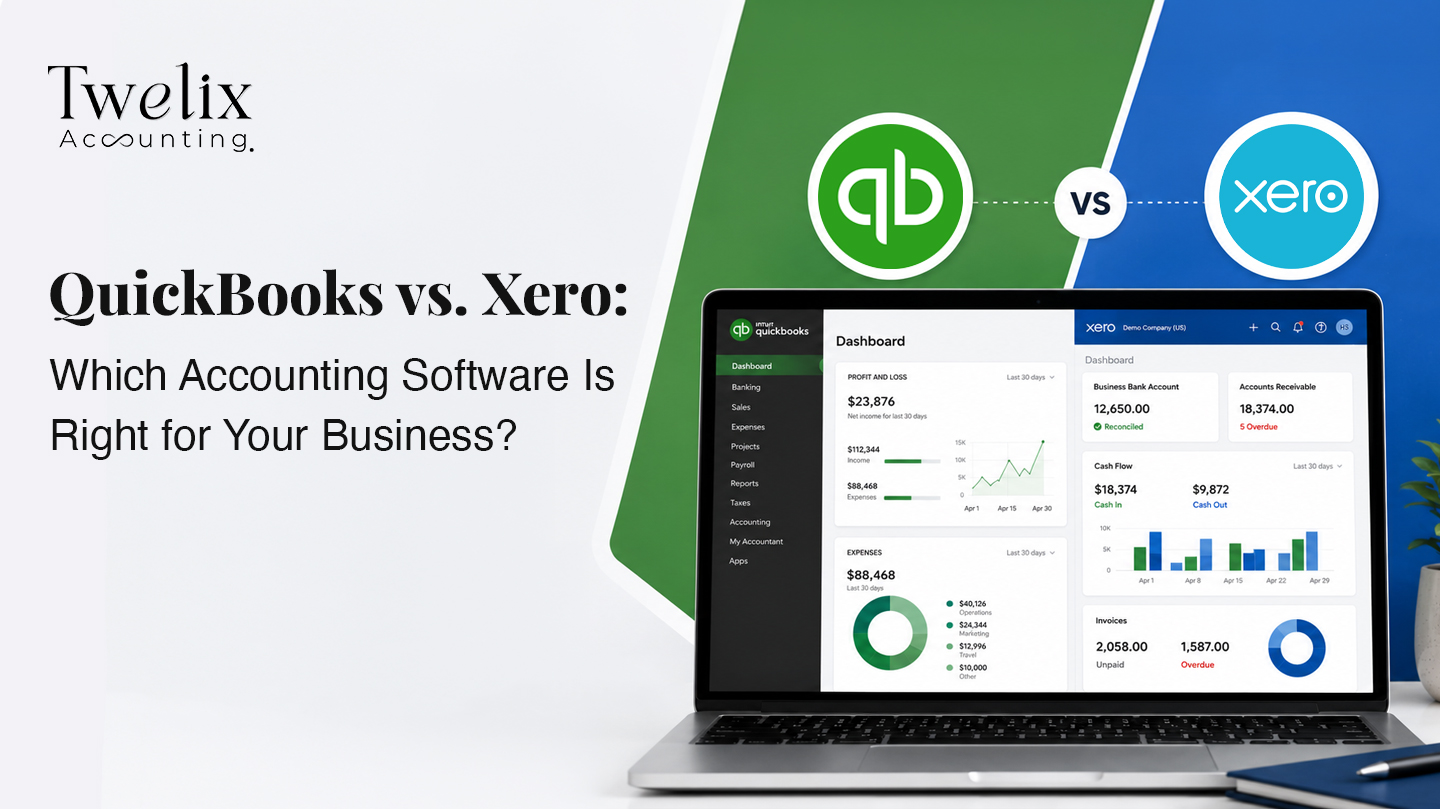
QuickBooks vs. Xero: Side by Side
#Here is how Xero vs. QuickBooks compares on the things that actually affect your monthly bill and your day-to-day workflow.
| QuickBooks Online | Xero | |
|---|---|---|
| Entry plan | Simple Start, $38/mo | Early, $25/mo |
| Mid plan | Essentials, $75/mo | Growing, $55/mo |
| Higher plan | Plus, $115/mo | Established, $90/mo |
| Top plan | Advanced, $275/mo | None above Established |
| Users included | 1 / 3 / 5 / 25 by plan | Unlimited on every plan |
| Accountant access | 2 included (3 on Advanced) | Unlimited |
| Entry plan limits | Unlimited invoices, 1 user | 20 invoices, 5 bills |
| Payroll | Built in, billed separately | Via Gusto integration |
| Inventory | Included on Plus and above | Inventory Plus add-on |
| Multi-currency | Essentials and above | Established only |
| Project tracking | Plus and above | Established only |
| Integrations | Largest in the market | Strong, smaller catalog |
| US accountant familiarity | Very high | Moderate |
| Intro offer | 50% off 3 months, or 30-day trial | 80% off 3 months, or 1 month free |
| Best for | US businesses wanting one system | Teams, simplicity, multi-currency |
 View full size
The Pricing Comparison Most People Get Wrong
#Xero looks cheaper. Its entry plan is $25 against QuickBooks at $38, and every headline comparison stops right there.
That comparison is not like for like. Xero's Early plan caps you at 20 invoices and 5 bills a month. QuickBooks Simple Start has no invoice limit. If you send more than twenty invoices, you are really comparing Xero Growing at $55 against Simple Start at $38, and QuickBooks is now the cheaper option.
Then user count flips it back. Simple Start covers one user. The moment you need a second person in the books, QuickBooks moves you to Essentials at $75, while Xero stays at $55 with unlimited users. Add a third or fourth person and the gap widens further, because Xero never charges per seat.
So the honest rule: QuickBooks is usually cheaper for a single-user business that invoices steadily. Xero is usually cheaper the moment more than one person needs access. Compare the plan you will actually need in twelve months, not the cheapest row on the page.
So Which One Should You Choose?
#Choose QuickBooks Online if: You are US-focused, want payroll and inventory in one place, need deep job costing or project reporting, and want your accountant on familiar ground. For most US small businesses with one or two people touching the books, this is the safer default.
Choose Xero if: You need several people in the file, deal in multiple currencies, or want the simplest possible day-to-day experience. If you have a team of three or more who all need access, Xero's unlimited-user pricing usually wins outright.
 View full size
What Neither One Fixes
#Here is the part most comparison articles leave out. In our experience, the software is rarely the real problem.
Most of the pain we see is a rushed setup, a half-finished migration, or a chart of accounts nobody has maintained in two years. Pick the wrong platform and you will be mildly annoyed. Set up the right platform badly and your reports will be wrong for years, which is far more expensive.
The tool is roughly 20% of the outcome. The process behind it is the other 80%. That is why many owners eventually move to outsourced bookkeeping rather than managing either platform themselves. If your books are already behind, bookkeeping cleanup gets them current before you change anything else.
We work in both platforms daily and offer outsourced accounting and bookkeeping services on either one, whether you need QuickBooks bookkeeping services, Xero bookkeeping services, or a cleanup before you start fresh.
The Bottom Line
#For most US small businesses weighing QuickBooks vs. Xero, QuickBooks Online is the better default, mainly because of payroll, inventory, and accountant familiarity. Xero is the better pick for teams, multi-currency work, and anyone who values a simpler interface.
Both will keep clean books if they are set up properly. Neither will save you if they are not. Choose based on how your business actually runs, then make sure whoever maintains the books knows what they are doing.
Frequently asked questions
Is Xero better than QuickBooks?
Neither is better overall. Xero is better for teams that need unlimited users, multi-currency work, and a simpler interface. QuickBooks is better for US businesses that want built-in payroll and inventory, deeper reporting, and an accountant already trained on the platform.
Which is cheaper, QuickBooks or Xero?
It depends on users. QuickBooks Simple Start at $38 covers one user, so it is cheaper for solo owners. Xero includes unlimited users on every plan, so it is usually cheaper once two or more people need access to the books.
What do accountants prefer, Xero or QuickBooks?
In the US, most accountants work in QuickBooks because it holds the largest market share and nearly all of them are trained on it. Xero has a strong following among firms that value its interface, but QuickBooks remains the default in US practice.
Can Xero do everything QuickBooks does?
Close, but not identically. Xero handles core bookkeeping, invoicing, and reporting well, and it wins on users and multi-currency. QuickBooks is stronger on built-in payroll, inventory, job costing, and its integration catalog.
Do I need a bookkeeper if I use QuickBooks or Xero?
Not always, but most growing businesses benefit from one. Both platforms automate data entry, not judgment. Reconciliations, a correct chart of accounts, and a reliable monthly close still need a trained eye, which is why many owners move to outsourced bookkeeping as they grow.
Which is easier to use, QuickBooks or Xero?
Most owners find Xero easier to learn day to day, thanks to a cleaner layout and less clutter. QuickBooks offers more depth, which makes it more powerful but a little steeper to pick up without help.

CA Jaimin M.
Founder & CEO, Twelix Accounting
Published · Updated
Jaimin M. is the founder and CEO of Twelix Accounting, where he leads strategy and overall direction. A Chartered Accountant with more than eight years in U.S. accounting, he shapes how Twelix delivers outsourced bookkeeping and accounting services to small businesses. When he is not running the company, he is deep in a game, insisting it is helping his strategy skills.
Connect on LinkedIn